Choosing and Configuring the Best Terminal for macOS: Ghostty vs iTerm2
Optimize your terminal workflow on macOS. Compare Ghostty and iTerm2, install Nerd Fonts, and configure key mappings for a high-performance developer experience.
Why This Matters
The terminal is where you spend 90% of your time as a developer. A slow or poorly configured terminal isn’t just an annoyance; it’s a bottleneck. Input lag, incorrect character rendering, and broken keyboard shortcuts break your flow.
A high-performance terminal setup ensures that the system reacts as fast as you think, with clear typography and the visual feedback necessary for complex DevOps tasks.
Key Benefits
- Reduced Latency: Faster rendering means less eye strain and better “feel.”
- Visual Clarity: Nerd Fonts enable icons that provide instant context (Git status, K8s clusters).
- Efficiency: Correct key mappings for word navigation save thousands of keystrokes daily.
1. Choosing Your Emulator: Ghostty vs iTerm2
While macOS comes with “Terminal.app,” it lacks the features and performance required for professional work.
Ghostty: The Modern Speed Demon (Recommended)
Ghostty is a cross-platform, GPU-accelerated terminal written in Zig. It is designed to be minimal, configuration-driven, and incredibly fast.
brew install --cask ghosttyiTerm2: The Feature-Rich Veteran
iTerm2 has been the standard for years. It offers advanced features like session restoration, triggers, and a built-in password manager, but it can feel “heavier” and is harder to manage via text-based dotfiles.
brew install --cask iterm22. Essential Typography: Installing Nerd Fonts
Modern CLI tools (like eza or starship) use special icons to convey information. Without a Nerd Font, these will appear as broken boxes.
brew install --cask font-hack-nerd-fontConfiguration
- Ghostty: Edit
~/.config/ghostty/configand addfont-family = Hack Nerd Font. - iTerm2: Go to
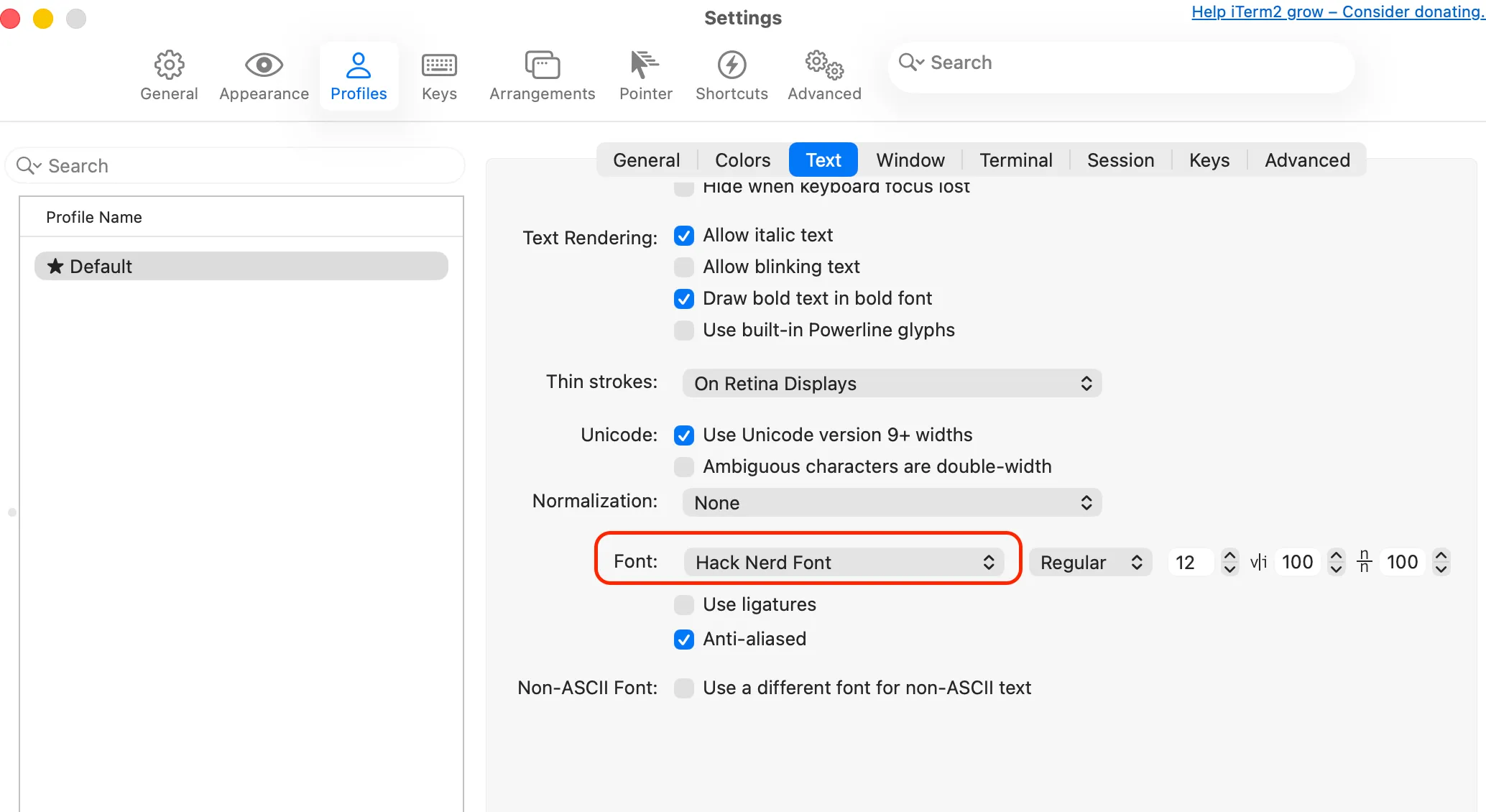
Profiles -> Text -> Fontand selectHack Nerd Font.
3. Ghostty Configuration for Power Users
Ghostty is configured via a plain text file, making it perfect for dotfiles management.
You can find the available settings in the Ghostty documentation.
You can query the defaults values with ghostty +show-config --default --docs.
This is an example of ~/.config/ghostty/config. I personally, leave this file empty and use the defaults.
font-family = Hack Nerd Font
font-size = 13
theme = Deep
scrollback-limit = 100000
copy-on-select = true
window-padding-x = 8
window-padding-y = 8
Note
copy-on-select is a huge productivity booster. Just highlight text with your mouse, and it’s already in your clipboard.
For some of these settings, you can use the ghostty command to find the available values.
For example, to find the available themes, you can use the following command:
ghostty +list-themes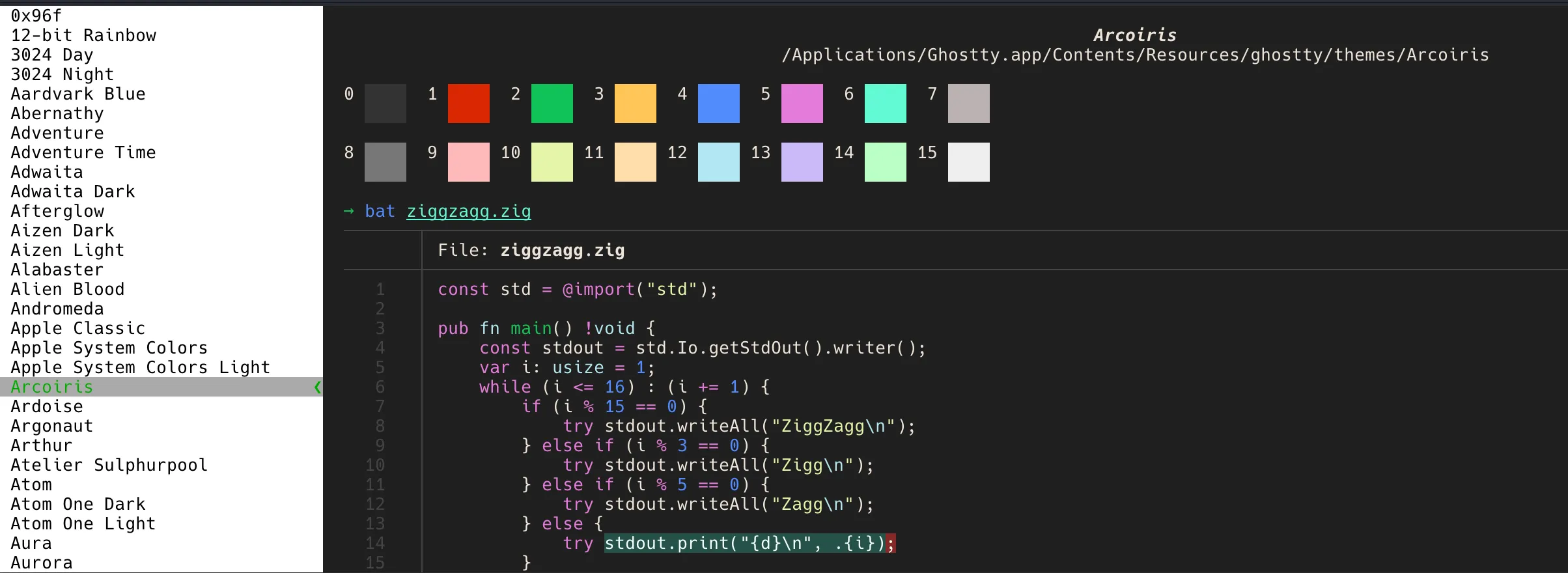
4. Fixing Keyboard Behavior (Word Navigation)
One of the most frustrating things on a new Mac is that Option + Left/Right doesn’t navigate by word in the terminal by default.
The Shell Fix
Add this to your ~/.zshrc to make Zsh respect common word boundaries (treating / as a separator) and so Alt+backspace deletes the previous word:
# zsh completion
autoload -Uz compinit bashcompinit
compinit
bashcompinit

# Word style
autoload -U select-word-style
select-word-style bash

# Word navigation
bindkey "^[b" backward-word
bindkey "^[f" forward-word

# Alt + Left / Right for terminals that send CSI sequences
bindkey "^[[1;3D" backward-word
bindkey "^[[1;3C" forward-word

# Home / End
bindkey "^[[H" beginning-of-line
bindkey "^[[F" end-of-line
bindkey "^[[1~" beginning-of-line
bindkey "^[[4~" end-of-line
bindkey "^[[7~" beginning-of-line
bindkey "^[[8~" end-of-line

# Alt + Backspace
bindkey '^[^?' backward-kill-word
bindkey '^[\x7f' backward-kill-word
5. Performance and Rendering
Both Ghostty and iTerm2 use GPU acceleration (Metal) on macOS. This offloads text rendering from the CPU, keeping your system responsive even when tailing massive logs.
Pro-Tip: Avoid excessive transparency or “blur” effects if you value performance over aesthetics. Every pixel of blur requires GPU cycles that could be used for text rendering.
Summary
You now have a high-performance window into your system. With Ghostty and Nerd Fonts, your environment is fast, readable, and ready for icons. Next, we’ll secure your identity by setting up SSH and Authentication.